
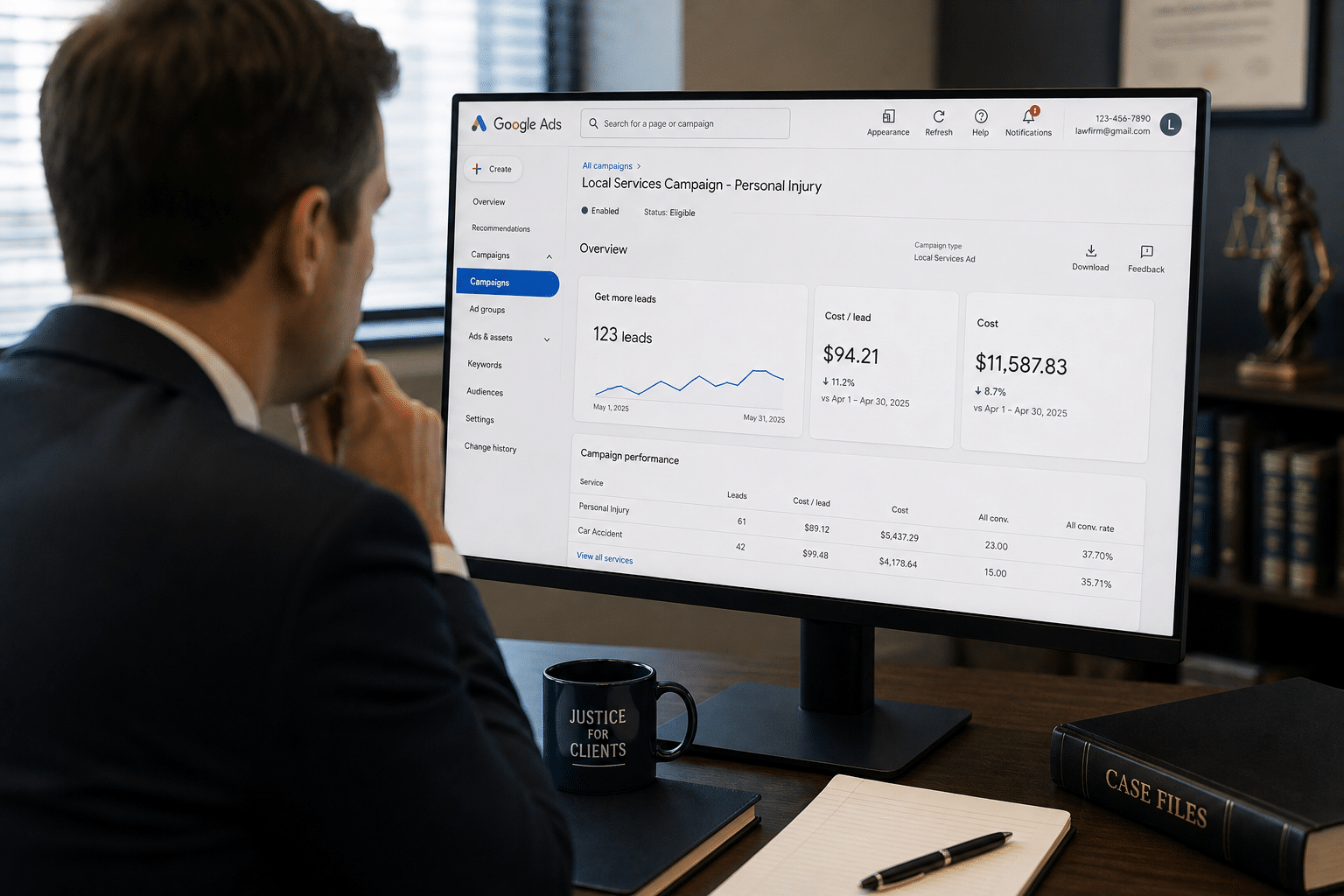
In July, Google published a support page announcing that Local Services Ads are moving into the main Google Ads platform. Since then the trade coverage has landed on roughly the same take: don’t worry about it, nothing really changes, it’s a new dashboard.
That’s mostly right. Your ads stay in the same spots. You still pay per lead. Your verified badge comes with you.
But there’s a line buried in Google’s own documentation about how budgets and targets work that the “nothing changes” coverage has skipped almost entirely, and if you run more than one practice area, it changes something that touches every case you sign.
Here’s the whole picture, and then the part worth your attention.
The short version
- LSAs aren’t going away. Google is moving them under the Performance Max platform, but it’s still Local Services Ads.
- Your placements, your pricing model, your verified badge, and your Business Profile data all come with you.
- Two things aren’t confirmed yet: whether it works the way it’s been described, and when law firms migrate at all. There’s no public ETA on the legal vertical. We’ll update this post when there is one.
- Leave everything in one campaign and your practice areas share a single blended acquisition target.
- Legal is expected to migrate in Q4 2026. Google hasn’t given a firm date.
What Google actually announced
Your LSA campaigns aren’t just changing address. They’re being converted into a campaign type built specifically for pay per lead goals inside Google Ads, and the standalone Local Services Ads dashboard is eventually retired. Once your account migrates, logging into the old dashboard sends you to Google Ads instead.
Worth being clear about the name, because it causes confusion: this is still Local Services Ads. Google is migrating it under the Performance Max platform as a naming and infrastructure change. It isn’t the Performance Max campaign type you may already run across display, YouTube, and search. We’ll keep calling it LSA.
| Staying the same | Changing |
|---|---|
| Pay per lead pricing on calls and messages, not clicks | The dashboard. LSA moves into the Google Ads platform, and leads live under Goals, then Conversions, then Leads |
| Placements at the top of Google Search and Google Maps, same positions as today | You can set a separate budget for each practice area, in its own campaign, which LSA has never allowed |
| Keywordless targeting by service category and service area | Manual per practice area bidding gives way to automated targeting with practice level acquisition targets |
| Your Google Business Profile as the source of truth for reviews, service area, and profile data | Business name, address, and hours sync automatically from your Business Profile, with no support ticket |
| Your Google Verified badge, which transfers automatically | Swapping a call tracking number happens in real time in Google Ads, instead of waiting on an LSA support rep |
| Bar license and insurance verification, which still run through Evident | BBB callouts are retired, so you’ll need at least six other structured callouts in your assets tab |
| Past customer leads, contact details, message history, and old call recordings | Weekly budgets convert to a daily average, divided by seven, with monthly spend capped at that figure times 30.4 |
That last one changes nothing in practice. Budget pacing already works on a daily number, so your monthly total lands where it always did. It’s only worth knowing if you watch your own dashboard.
Keep your Google Business Profile healthy through all of this. It stays the source of truth for your reviews, your verified badge status, your service area, and your profile data, and with the dashboard merge that data feeds your LSA performance more directly than it used to. If your profile has been drifting, sort it out before your migration window rather than during it.
None of that is why we’re writing this.
Budgeting by practice area (not confirmed yet)
Here’s the part the reassurance coverage skipped. You’ll be able to allocate a dedicated budget to each practice area, in its own campaign, with its own acquisition target. LSA has never offered that.
Two things aren’t confirmed yet: whether it works the way it’s been described, and when law firms migrate at all. There’s no public ETA on the legal vertical. We’ll update this post when there is one.
Family law at $2,000 a month, criminal at $8,000 a month, running separately and reported separately. Today, one campaign covers everything you do and the budget is a single pool you can’t steer.
The trade would be that manual per practice area bidding goes away, replaced by automated targeting. Vertical level Target CPA goes with it. That matters less than it sounds, but only if you actually split your campaigns.
If you don’t, Google calculates one blended campaign level target and applies it across every category you run. Handle criminal defense and family law in the same campaign and your $8,000 case and your $4,500 case share one acquisition target. Google optimizes toward an average that describes neither of them.
So the separate campaigns wouldn’t be optional housekeeping. They’d be how you keep the new budget control from turning into a blended number that hides both practice areas at once.
One honest caveat: you can’t create new pay per lead campaigns inside Google Ads yet. Google’s documentation says to keep using g.co/localservices until in-platform creation ships. So for now, the setup work for the new platform still starts on the old one.
Which means somebody has to actually do this. It doesn’t happen automatically, and nobody’s account manager splits campaigns by accident.
The number you need before that target gets blended
Here’s the problem underneath the problem. You can’t set an intelligent budget or target for each practice area until you know what each practice area actually costs you.
Most firms don’t. Not because owners are careless, but because the blended number looks fine and nobody teaches you to take it apart.
Cost to Acquire is your total marketing spend in a period divided by the cases you signed in that period. Some people call it cost per case. The benchmark we teach is one line: your average case value should be at least five times your Cost to Acquire.
Take a firm we’ll call Kessler & Vance. Two million a year, criminal defense and family law. The blended numbers looked fine, and the owner’s instinct was to trim the budget. Then he split it by practice area.
$33,000 a month, 24 signed cases. $1,375 to acquire against a $5,700 average case value.
Then he split it by practice area
5x benchmark SMB Team holds firms to
That’s the part that catches people. Criminal defense has the bigger case value, so it feels like the engine. It isn’t. Family law is signing twice the cases at a quarter of the cost.
Now picture what happens when those two share one target. It lands somewhere in the middle: too loose for family law, where you were winning, and too tight for criminal, where you needed room to figure out what was wrong. The platform optimizes toward a number that fits neither business.
And if you’d never split the number in the first place, you wouldn’t notice. You’d see a slightly softer month and assume it was seasonality.
One more thing worth saying, because it’s the mistake that follows: a bad ratio usually isn’t a spending problem. Three things cause it. Cost per lead is too high, conversion rate is too low, or case value is too low. The middle one is the most common and the cheapest to fix. Kessler & Vance’s criminal leads were fine. Intake was calling back in four hours. Cutting the budget would have punished the wrong thing.
When does your firm migrate?
Not yet. Here’s the published schedule.
| Phase | Timing | Who moves |
|---|---|---|
| Phase one | August 2026 | Select US home and storefront services: plumbing, HVAC, electrical, appliance repair, house cleaning, lawn care, roofing, pest control, moving |
| Phase two | Late 2026 | Broader advertiser groups, including service area businesses without a storefront and accounts with custom bidding or booking setups |
| Phase three | 2027, estimated | Non US accounts and all remaining categories |
Legal isn’t in wave one. Law firms are expected to migrate in Q4 2026, and we’re waiting on a firm date from Google. Through the rest of this year the work is campaign setup inside Google Ads. The legacy LSA dashboard stays active until Google says otherwise, and anything you read about 2027 is an estimate rather than a commitment.
You’ll get warning. Google emails the account administrator fourteen days before your migration date, a banner appears in your current dashboard, a reminder follows seven days later, and you get a confirmation once it’s done. Make sure the administrator on your account is a real person who reads email.
What to do before you migrate
- Your historical reports are handled. Impressions, clicks, weekly spend, ad level performance: none of it carries over. If you’re a client, we’ll work with our Google rep to export every account’s historical LSA data before migration, so there’s nothing for you to do. If you manage your own account, download it well ahead of your date rather than the week of.
- Run your Cost to Acquire by practice area. Pull twelve months of spend and twelve months of signed cases, split both by practice area, run the ratio. It’s an afternoon of work. Do it before Google averages those numbers for you, because afterward you won’t be able to tell whether the new blended target is helping or quietly costing you cases.
- Plan your campaign structure and your budget split. If your practice areas have meaningfully different case values, they need separate campaigns and separate budgets. That’s the new capability, and it’s worth arriving with an answer instead of a default.
- Sort out your Business Profile early. Minor updates to hours or phone sync within about a day, and they sync on their own now rather than needing a support request. Significant name or address changes still trigger a verification review that runs 24 to 48 hours and can pause your campaign while it processes. If you’re rebranding or moving offices, do it well clear of your migration window.
- Tighten intake before you tune the platform. LSA bills you per lead, not per signed case, so a call nobody answers is money already spent. No amount of campaign restructuring fixes a four hour callback, and your Business Profile reviews shape which leads reach you in the first place. That’s where the leverage is.
- Give it two weeks after. Google explicitly says to allow up to two weeks for performance to stabilize. Don’t judge results or make big changes inside that window.
- Route changes through one place. During a transition, changes coming from three directions is how things get lost between systems.
Find out what a signed case costs you in each practice area
We’ll pull twelve months of spend and signed cases, split them by practice area, and show you which side of your budget is actually working before Google averages the two together.
Book A Free ConsultationFrequently asked questions
Are Local Services Ads going away for law firms?
No. This is still Local Services Ads. Google is moving it under the Performance Max platform, which is a naming and infrastructure change rather than a new product, so you get the same ads, the same placements on Search and Maps, and the same pricing model where you pay only for valid leads like calls and messages. The standalone LSA dashboard is what eventually goes away.
When will my law firm’s LSA account migrate?
Not in the August 2026 wave, which covers US home and storefront service categories. Law firms are expected in Q4 2026, though Google hasn’t confirmed a date for the legal vertical. The legacy dashboard stays active until Google says otherwise, and you’ll get an email fourteen days before your account moves.
Will my Local Services Ads data carry over?
Partly. Customer leads, contact details, message history, and call recordings transfer automatically. Historical performance reports don’t. If you’re a client, we’re exporting that data account by account before migration, so it’s preserved on our side either way.
What happens to bidding and budgets?
You gain more than you lose here. For the first time you can set a separate budget for each practice area in its own campaign, which LSA never allowed. In exchange, manual per practice area bidding gives way to automated targeting with practice level acquisition targets. The catch is that if you leave every practice area in one campaign, they’ll share a single blended target.
What happened to my weekly budget?
It converts to a daily average, divided by seven. Monthly spend is capped at that daily figure times 30.4, so your monthly total shouldn’t change. Pacing already works this way behind the scenes, so it’s a reporting difference rather than a real one.
Do I need to do anything right now?
If you manage your own LSA, get familiar with Google Ads and export your reports. If you work with a marketing team, mostly no, but ask them two things: what your Cost to Acquire is by practice area, and how they plan to split your budget once separate campaigns are possible. Those are the questions this migration should prompt.
The firms that come out of this ahead
They’re not the technical ones. They’re the ones who knew their numbers by practice area before Google handed them the budget controls to act on.
That work is worth doing whether or not Google ever moves a dashboard. The migration just put a date on it.
If you can’t say what a signed case costs you in each of your practice areas, let’s pull the numbers apart together. We’ll show you where your money’s actually working, and get your campaign structure sorted before your migration date lands.
Related reading: Google Local Services Ads for Lawyers, the law firm marketing overview, and the 20/40/10 Rule.